# Search and Filtering

**Search** is the catalog's primary query-oriented entry path — type what you are looking for, and ODD finds entities matching across names, descriptions, and metadata. Where the [Directory](/features/data-discovery/directory.md) walks the catalog hierarchically, Search is free-text + faceted.

With the user-friendly search interface, finding the information you need is easier than ever. Type your search query into the search bar and ODD does the rest.
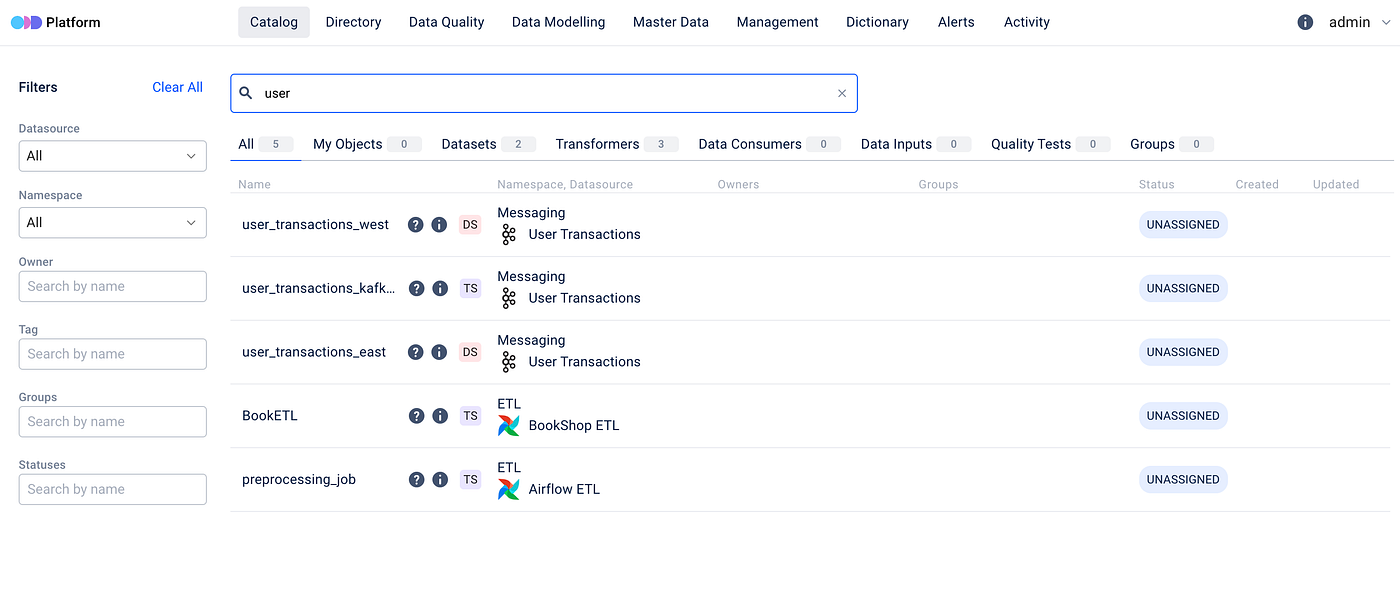
To get started, navigate to the main page of ODD Platform and select the **Catalog** tab. There you will find the **Search bar** and **Filter** options.

<figure><img src="/files/ltqCvdaP8knPjYRAdZ0l" alt="" height="308" width="700"><figcaption><p>Type your search query into the search bar</p></figcaption></figure>

## Faceted search

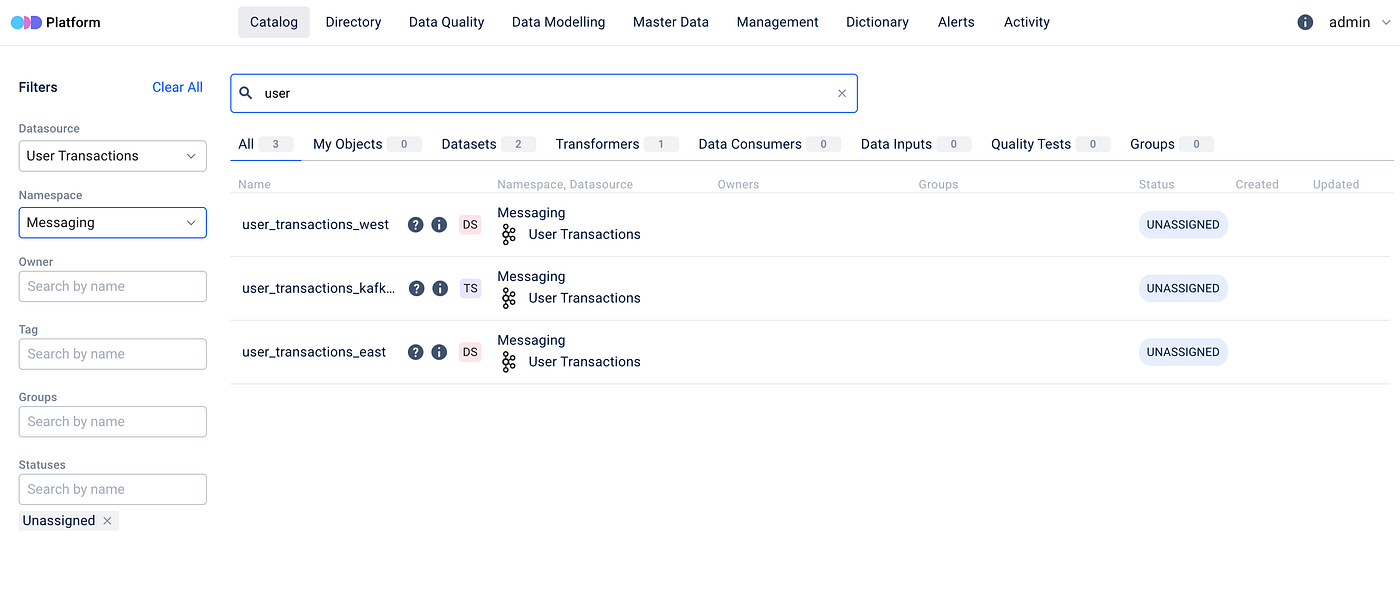
The platform incorporates **faceted** search capabilities. This means you can refine your search results based on specific attributes, ensuring that you find exactly what you are looking for.

The Filters panel on the Catalog page exposes seven facets:

* **Datasource** — restrict results to entities ingested from a specific datasource (single-select).
* **Type** — restrict results to one or more data entity types (e.g., `TABLE`, `JOB`, `DASHBOARD`; multi-select). Only shown after an entity-class tab is selected at the top of the Catalog (Datasets / Transformers / Data Consumers / Data Inputs / Quality Tests / Groups / Relationships).
* **Namespace** — restrict to entities in a given namespace (single-select). Useful in multi-team setups where each team owns its own namespace and wants to see only its own datasets, jobs, and quality tests in one click.
* **Owner** — show entities owned by one or more selected owners (multi-select).
* **Tag** — show entities carrying one or more selected [tags](/features/data-discovery/tagging.md) (multi-select).
* **Groups** — show entities that are members of one or more selected [Data Entity Groups](/features/data-discovery/groups-domains.md) (multi-select). Useful for narrowing the search to a logical project, domain, or pipeline group rather than a flat datasource list.
* **Statuses** — show entities in one or more selected statuses (multi-select; e.g., `STABLE`, `DEPRECATED`).

<figure><img src="/files/qAKJ9IkN6WwGC5quhXc6" alt="" height="308" width="700"><figcaption><p>Filters</p></figcaption></figure>

## Per-result transparency

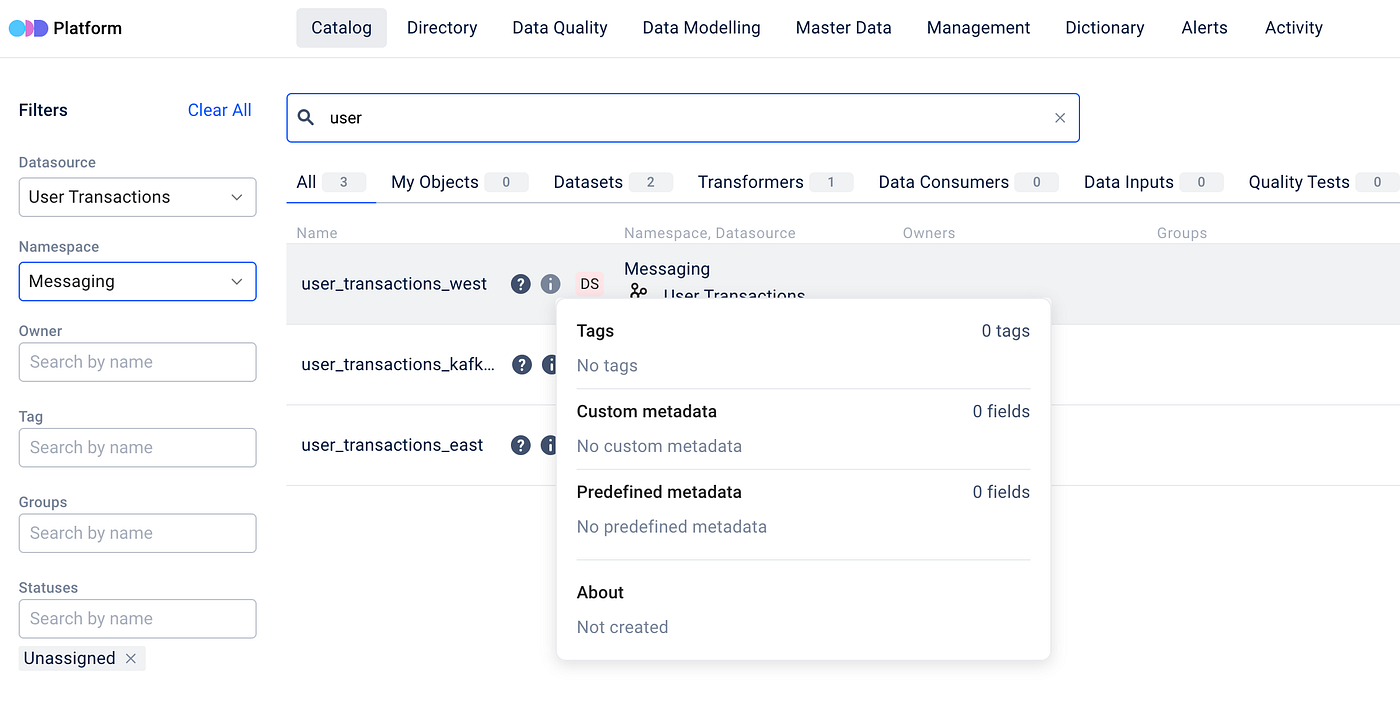
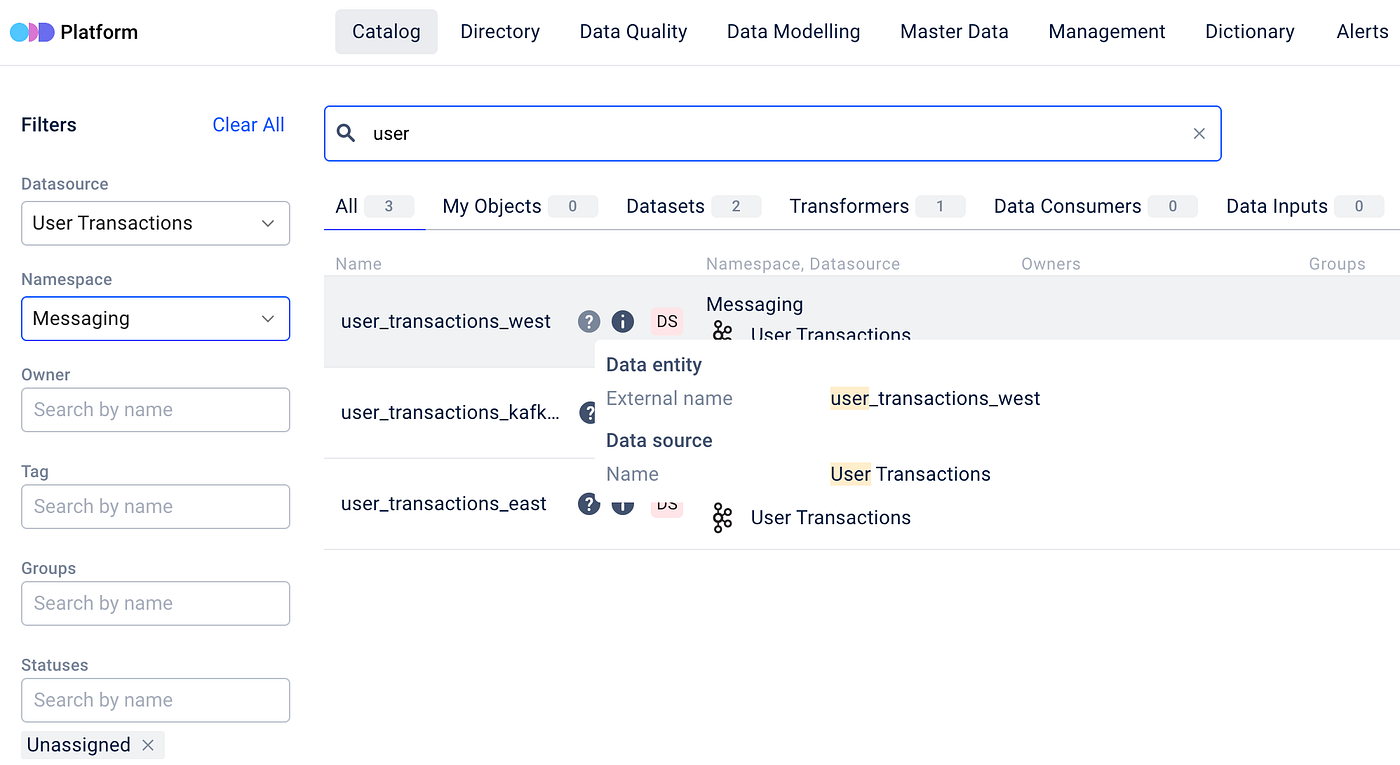
As you type your search and adjust filters, ODD dynamically responds, delivering results in seconds. Each entity in the search results is accompanied by an information and a question icon, offering additional clarity and insight:

<figure><img src="/files/IW0XgOUe4kdm7upDVG3F" alt="" height="359" width="700"><figcaption><p>The information icon shows you what you see in your search results</p></figcaption></figure>

<figure><img src="/files/MfxuSmVH5lAjhaeM80Cu" alt="" height="383" width="700"><figcaption><p>The question icon shows you why you see it in your search results</p></figcaption></figure>

## Technical details

The underlying constants used by the search engine are defined in [FTSConstants.java](https://github.com/opendatadiscovery/odd-platform/blob/main/odd-platform-api/src/main/java/org/opendatadiscovery/oddplatform/repository/util/FTSConstants.java).

**Step 1.** Metadata ingested into the platform goes through indexing to improve search efficiency.

**Step 2.** When you search or apply filters, the search engine processes your inputs by recognizing search terms, applying relevant constraints, and identifying metadata entries closely related to the query.

**Step 3.** Next, ODD ranks these matching metadata entries based on a specific criteria and their relevance to your search.

<figure><img src="/files/eDNqKhBtLgQXXQi1EBMK" alt=""><figcaption><p>Metadata ranking for search within ODD</p></figcaption></figure>

## Where else search appears

Search and filtering are available not only in the Catalog tab, but in **Query examples**, **Master Data**, [**Management**](/features/management.md), and **Dictionary** tabs as well — each Management sub-tab (Datasources, Owners, Tags, …) has its own list-level filter. The Catalog-level full-text search across data entities is exclusive to the Catalog tab.

## Where to next

* [Directory](/features/data-discovery/directory.md) — the hierarchy-driven counterpart for browsing without typing a query.
* [Manual Object Tagging](/features/data-discovery/tagging.md) — the Tag facet's source data.
* [Data Entity Groups & Domains](/features/data-discovery/groups-domains.md) — the Groups facet's source data.
* [Main Concepts → Data Governance map](/introduction/main-concepts.md#data-governance-map) — where Data Discovery (Search + Directory) sits among the governance pillars.


---

# Agent Instructions: Querying This Documentation

If you need additional information that is not directly available in this page, you can query the documentation dynamically by asking a question.

Perform an HTTP GET request on the current page URL with the `ask` query parameter:

```
GET https://docs.opendatadiscovery.org/features/data-discovery/search.md?ask=<question>
```

The question should be specific, self-contained, and written in natural language.
The response will contain a direct answer to the question and relevant excerpts and sources from the documentation.

Use this mechanism when the answer is not explicitly present in the current page, you need clarification or additional context, or you want to retrieve related documentation sections.