> For the complete documentation index, see [llms.txt](https://docs.opendatadiscovery.org/llms.txt). Markdown versions of documentation pages are available by appending `.md` to page URLs; this page is available as [Markdown](https://docs.opendatadiscovery.org/features/data-discovery/attachments.md).
# Data Entity Attachments
Files (images, PDFs, CSVs, TXT) and remote-URL links attached to data entities for additional context. Storage backend is operator-configurable; the LOCAL default is ephemeral.
Operators and users can attach **files and links** to any data entity to carry additional context — runbook PDFs, sample CSVs, dashboard screenshots, links to internal wikis, ticketing references. Attachments live alongside the entity's metadata and persist across re-ingests, behaving similarly to attachments on a Jira ticket.
{% hint style="danger" %}
**The default `LOCAL` storage mode is ephemeral.** Files are written to a local container path that is wiped on any container or pod restart — routine deployment, node drain, crash, Kubernetes eviction. Use `REMOTE` (S3 / MinIO) storage for any deployment where users will actually upload attachments. See the [Attachment Storage Configuration](/configuration-and-deployment/odd-platform.md#attachment-storage-configuration) operator reference for the storage caveats and the `us-east-1` constraint on AWS S3.
**In-flight chunk staging is always node-local — even under REMOTE persistence.** The 3-step chunked-upload protocol (initiate → upload-part(s) → complete) writes every part to `/tmp/odd/chunks/{upload_id}` on the platform API container. The path is hard-coded and ignores the `attachment.storage` setting; only at COMPLETE time does the REMOTE path stream the assembled file to S3. An operator running REMOTE persistence on a Kubernetes deployment with `spec.volumes` excluding `/tmp`, or any container restart between initiate and complete, loses all in-flight upload state — partial chunks become orphan files that the housekeeping job does not clean. Multi-hour large-file uploads (the chunked protocol's intended use case) can lose partial state on container churn even when persistent storage is otherwise configured.
**Mitigation today.** For deployments expecting multi-hour large-file uploads, mount a persistent volume at `/tmp/odd/chunks` on the platform API container so chunked uploads survive routine container churn. For deployments that tolerate upload-restart on container restart, no action is required — but operators should know the failure mode so they can recognise "lost partial upload" as a deployment-state symptom rather than an attachment-subsystem bug.
{% endhint %}
{% hint style="danger" %}
**Attachment mutation endpoints discard the URL's data-entity id after the auth gate — operators with `DATA_ENTITY_ATTACHMENT_MANAGE` on entity A can mutate any other entity's attachments by file id.** The URL pattern is `/api/dataentities/{data_entity_id}/attachments/files/{file_id}`. The platform's authorization layer evaluates the gate against `data_entity_id` (entity A — granted), but the controller method operates only on `file_id`. A user with `DATA_ENTITY_ATTACHMENT_MANAGE` on entity A constructs a `PUT` against `/api/dataentities/{A_id}/attachments/files/{B_file_id}` — the auth gate passes and the mutation acts on entity B's file. The READ endpoints have no `SecurityRule` entry at all, so any authenticated user lists any data entity's attachments by id today. Combined, **per-entity ownership boundaries are silently bypassed for attachments in multi-tenant deployments**.
**Mitigation today.** Treat attachment authorization as a network-perimeter concern in multi-tenant deployments — apply a reverse-proxy filter that asserts the URL's `data_entity_id` matches the file's owning entity before forwarding the request to the platform. The upstream platform-side fix is a one-commit guard at the controller layer (assert `file.dataEntityId == pathDataEntityId` before mutating); the doc-side caveat persists until that lands.
{% endhint %}
## Attaching a file
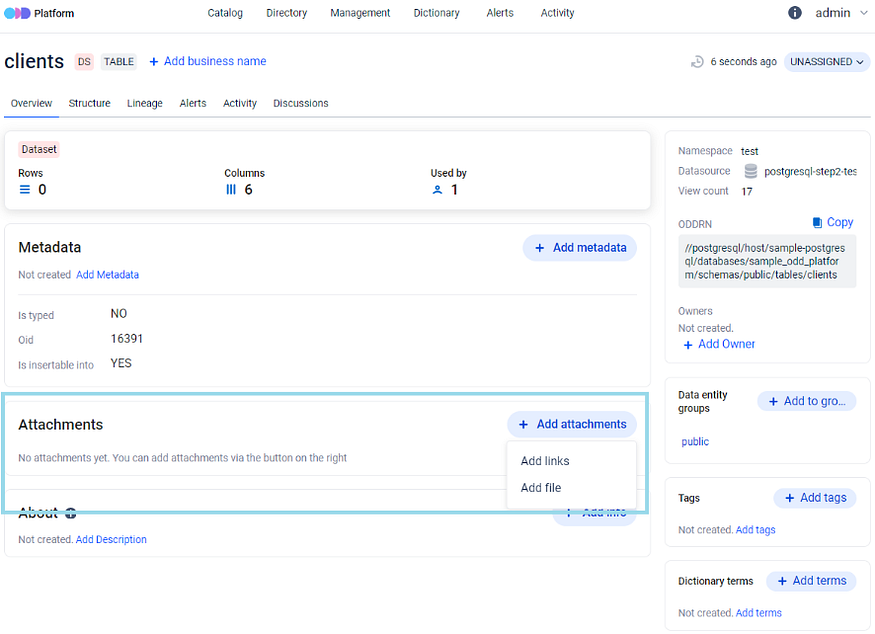
**Step 1.** Open the **Overview tab** of any data entity and click the **Add attachment** icon:
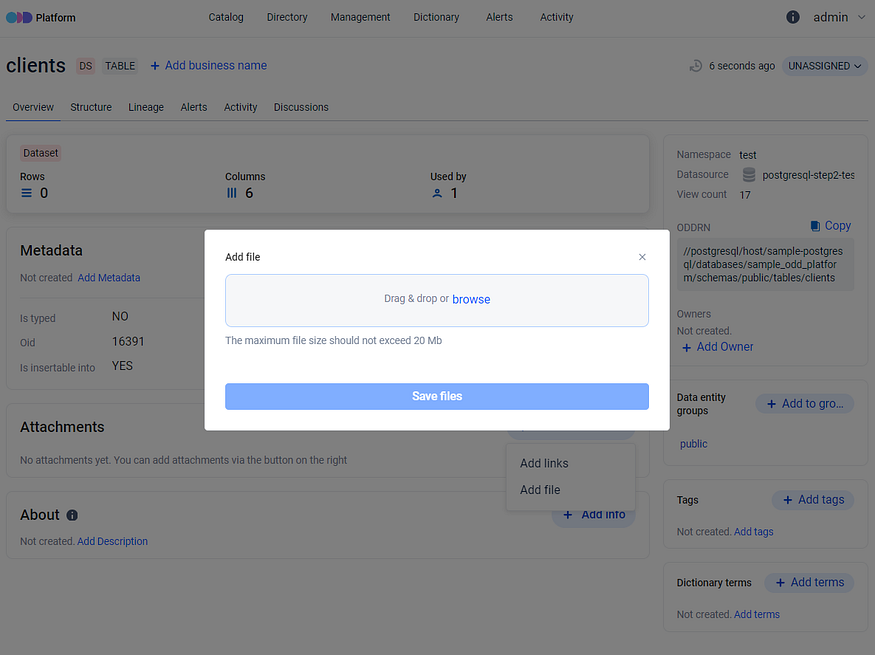
**Step 2.** Drag-and-drop the file into the attachment window, or browse to select:
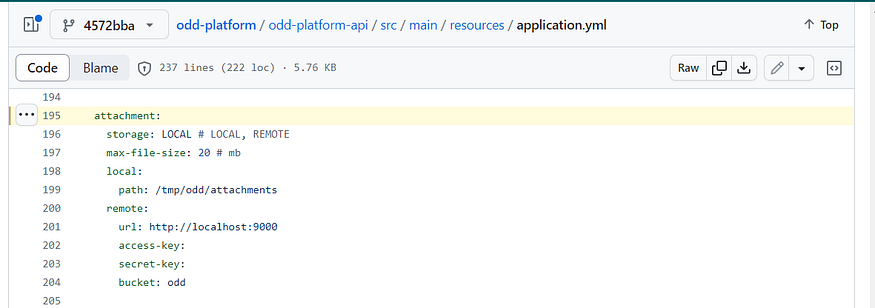
There is no restriction on file type — images, CSVs, PDFs, TXT files, and any other format are accepted. The single restriction is **file size**, which is capped at `attachment.max-file-size` megabytes (default `20`). Files larger than the cap are rejected by the upload API.
If the file exceeds the size cap or the operator prefers to reference an external location, attach a **link** instead (next section).
## Attaching a link
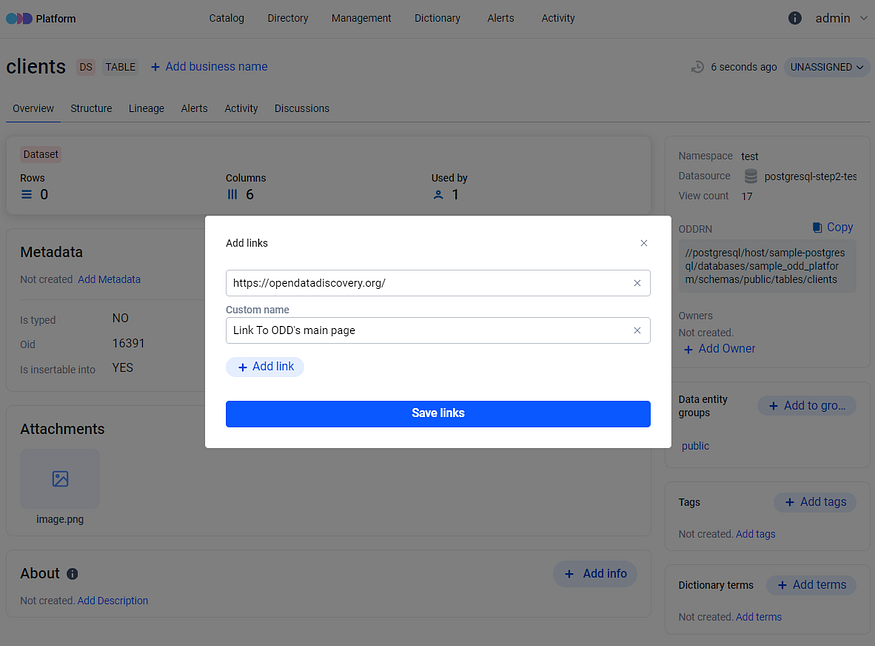
**Step 3.** To attach a link to a remotely-stored file or other web resource, insert an `http`/`https` URL and provide a customised display name. As of 0.28.0 a link attachment must use the `http` or `https` scheme — other schemes (`mailto:`, `ftp:`, `data:`, …) are rejected. Multiple links can be added in one go via the **+ Add link** icon:
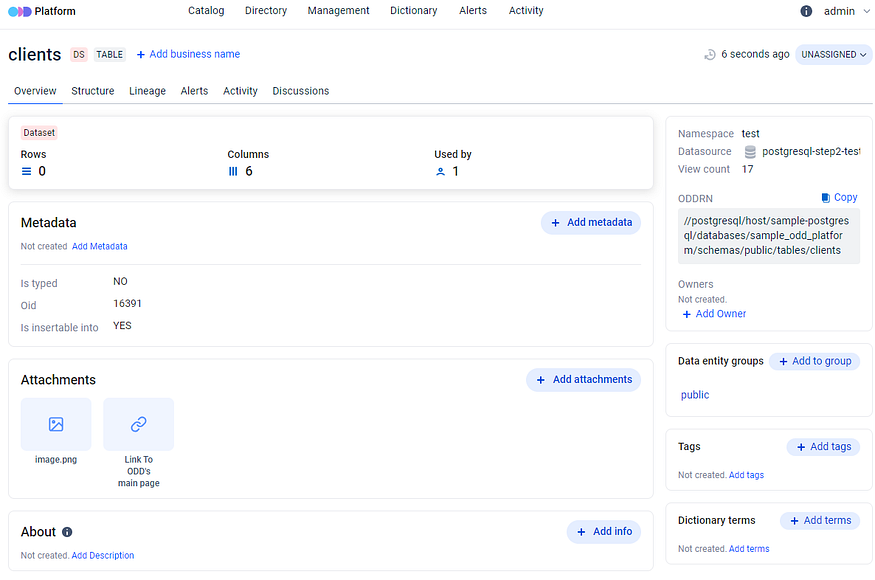
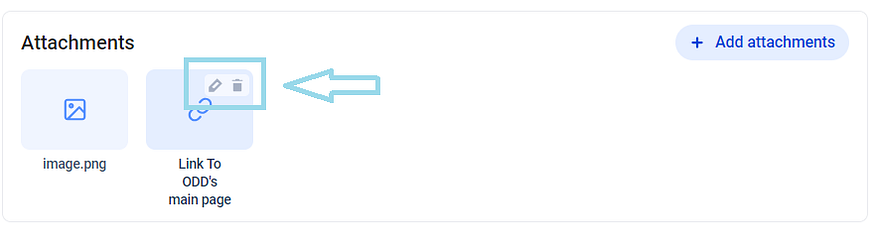
Once saved, the file and the link both appear on the entity's Attachments list:
A single data entity can carry **multiple files and multiple links** — the platform does not cap the count.
## Editing and deleting attachments
Editing and deleting attachments — files and links alike — is performed by clicking the per-attachment icons next to each row:
## Storage backend (operator-configurable)
The platform supports two storage backends for the file (not the link) attachments:
* **`LOCAL`** *(default)* — files written to a local filesystem path inside the platform container. Suitable only for single-host evaluations and local development; **ephemeral on container restart**.
* **`REMOTE`** — S3-compatible object storage (AWS S3, MinIO, etc.). Required for production deployments. Configured via `attachment.storage`, `attachment.remote.url`, `attachment.remote.access-key`, `attachment.remote.secret-key`, `attachment.remote.bucket`.
The full operator-side reference (every key, the `us-east-1` AWS S3 constraint, the in-memory-buffer ceiling on `spring.codec.max-in-memory-size`) lives at [Configure ODD Platform → Attachment Storage Configuration](/configuration-and-deployment/odd-platform.md#attachment-storage-configuration). The hint at the top of this page is the operator-relevant summary; the configuration reference is authoritative.
## RBAC
Adding, deleting, and managing attachments on a data entity is gated by the `DATA_ENTITY_ATTACHMENT_MANAGE` permission. See [Permissions](/configuration-and-deployment/enable-security/authorization/permissions.md) for the full list and how to compose roles around it.
## Where to next
* [Data entity detail page](/features/data-discovery/entity-detail-page.md) — the per-entity surface where the Attachments panel lives on the Overview tab.
* [Configure ODD Platform → Attachment Storage Configuration](/configuration-and-deployment/odd-platform.md#attachment-storage-configuration) — the operator reference for the storage backend, including the LOCAL-is-ephemeral warning and the REMOTE caveats.
* [Permissions](/configuration-and-deployment/enable-security/authorization/permissions.md) — the `DATA_ENTITY_ATTACHMENT_MANAGE` permission and other data-entity permissions.
* [Data Discovery overview](/features/data-discovery.md) — the bucket landing this page sits under.